SIEM data sources: how SecureVisio collects data — from syslog and file access to vulnerabilities and the CMDB

17.11.2026
When teams evaluate a SIEM, the first thing on the table is usually a list: logos, connectors, integrations. It answers a question that is rarely the decisive one during an incident. At that point an analyst does not ask whether a vendor is “supported”, but whether the event they need right now has arrived — with fields a rule can actually work on. Whether it arrives is decided by the collection path, not by the logo.
This article shows the three ways SecureVisio collects data, which sources can be connected in each area, why the most useful data source — file access is the example — is often not a single one, and what context vulnerabilities, the CMDB and the BIA add.
Why does collection decide every later detection?
Handling a security incident is a chain, and collection is its first link. It answers a single question: does what I need actually arrive? Only after that does raw text become a field, a field become a rule, and a rule become an incident.
Every later stage depends on it. Without a parser there are no fields, and without fields there is no detection. What was never collected cannot be found by a retrospective search either. A gap in collection therefore does not report itself as an error — it only shows when an analyst asks a question during an incident and there is no data to answer it.
Which three collection methods does SecureVisio use?
SecureVisio collects data in three ways, and the order is deliberate: the first is the default, the third is used where the first two are not enough.
| Method | How the data arrives | Typical sources |
| Passive listening (listener) | Sources send on their own: syslog over UDP, TCP or TCP over TLS; NetFlow is collected natively | Firewalls, network devices, Linux systems |
| Own XDR agent | An agent on the host delivers event logs, files and extended Sysmon telemetry | Windows workstations and servers |
| Active connectors | SecureVisio pulls the data: API, ODBC, file reading, Windows event logs, Kafka, email, PowerShell | Cloud services, SaaS, databases, platforms with their own interface |
The listener is the method used in every implementation. Protocols and ports are configurable; the default is UDP port 514. Linux systems deliver via rsyslog and imfile, devices with SNMP via Telegraf, provided a suitable plugin exists.
The XDR agent is the recommended method for Windows workstations and servers from Windows 10 onwards. When the option is enabled, the agent downloads Sysmon and installs it on the host. Created files, started processes and registry changes then become an additional data source. Agent profiles each carry their own configuration for queue, performance and sources. Where no agent is wanted, Windows logs are collected through a connector using Windows Event Forwarding (WEF).
Active connectors work the other way round: the source does not send, the collector queries it. For sources without a ready-made connector, custom connectors can be written in a scripting language.
All three methods converge on the LogForwarder, which receives, parses, filters and forwards the data. In an isolated network segment, a LogForwarder sits inside the segment, collects locally and forwards the data encrypted to central storage. How the services behind it fit together is covered separately — see the article on SecureVisio architecture.
Logs are stored both raw and normalised. Log management is a separate layer of the architecture: more can be stored than is correlated.
Which data sources can be connected in each area?
The overview below lists what can be connected in each area. It is not a complete list.
| Area | Selected connected sources |
| Endpoint | own XDR agent; Microsoft Defender, CrowdStrike, SentinelOne, Cisco Secure Endpoint, Sophos, ESET, Bitdefender, Trellix, WithSecure |
| Network | NetFlow natively; firewalls from Fortinet, Palo Alto Networks, Check Point, Cisco, SonicWall; IDS/NDR: Suricata, Vectra AI, GreyCortex, Gatewatcher; DNS security: Cisco Umbrella, Infoblox; NAC: Forescout |
| Identity | Active Directory and Windows security events; Entra ID via Microsoft Graph; PAM: CyberArk, BeyondTrust, Delinea, Fudo Security, Wallix; Keycloak |
| Cloud | AWS CloudWatch, Azure Monitor and Log Analytics, Google Cloud Logging, Google Security Command Center |
| SaaS | Microsoft 365 (Exchange, SharePoint, OneDrive), GitHub |
Ready-made connectors include, for example, Amazon AWS CloudWatch, Apache Kafka, Google Cloud, Microsoft Windows Events, Microsoft 365, Entra ID, Microsoft Defender, Microsoft Exchange, Microsoft Azure Log Analytics, as well as Arakis and Artemis.
Once connected, a new source needs a parser that maps its fields to the schema. The AI assistant can generate that parser from sample data.
One more point matters for planning: licensing is based on monitored assets — not on data volume and not on the number of log sources; network devices are not counted. An additional source therefore does not change the unit being licensed. The licensing logic in detail: SIEM platform.
Who opened the file? File activity as security telemetry
Sooner or later, many incidents lead to the same question: who accessed this file, from where and when? When data exfiltration is suspected, when shares have been encrypted, when an account has been compromised. The answer rarely sits in a single system. The download from SharePoint, the copy on the endpoint and the access to the NAS are in three different logs.
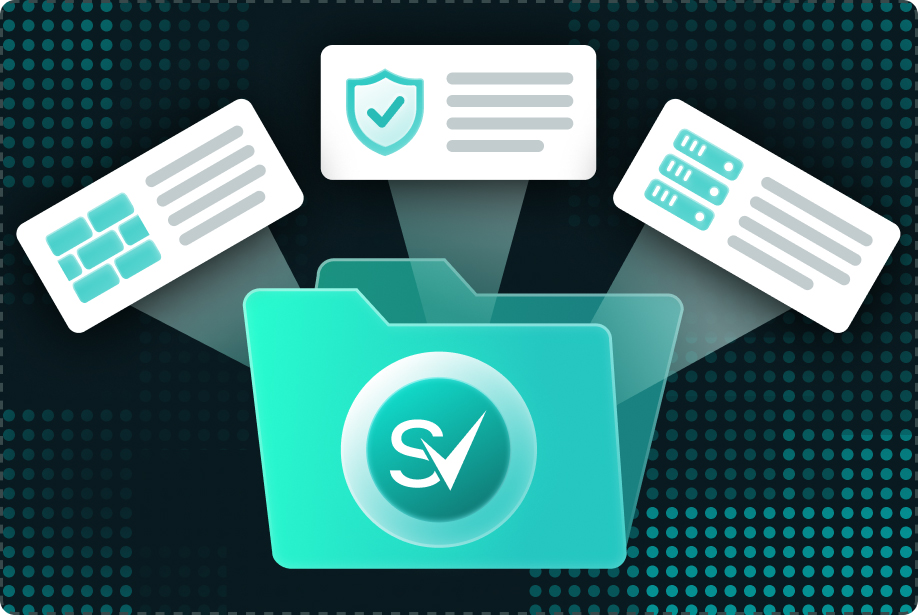
SecureVisio therefore monitors file activity as security telemetry and correlates events from several sources. Depending on the environment and the connected log sources, this includes, among others:
- Microsoft 365 Unified Audit Log — file and folder operations in SharePoint Online and OneDrive, such as create, open, modify, download;
- file access auditing on Windows — via the XDR agent or Windows Event Forwarding, with the object access audit policy enabled;
- file events from EDR platforms — for example Trellix HX with file events and WithSecure with unusual file access and modifications;
- events from DLP systems — for example Symantec DLP, including reading and deleting files and copying data;
- logs from file servers and NAS — for example NetApp, Synology, QNAP, to the extent the device provides them.
Correlating these events makes it possible to establish who accessed a file, or performed an operation on it, from where and when. The analysis relies on event metadata and does not process document content. That limits the scope of sensitive data being processed.
Whether such an access is unusual for this user is the next question in the chain. It belongs to anomaly detection — see UEBA.
What context is added to the logs: vulnerabilities, CMDB and BIA?
A log says what happened. It does not say how serious it is. The same login is a footnote on a test system and an incident on the server that holds cardholder data. That is why SecureVisio collects two further kinds of data alongside events: vulnerabilities and asset context.
Vulnerabilities. SecureVisio imports results from vulnerability scanners — open-source and commercial, including Tenable Nessus, Rapid7, Qualys and Greenbone. This matters for detection, not just for patching: a vulnerability on the affected asset can raise the priority of an incident. An attack attempt on a system with an open, network-exploitable flaw thus ranks higher in the queue than the same attempt on a patched system. In the other direction, asset context feeds into the priority of the vulnerability itself — more on that under vulnerability management.
Assets and business processes. The built-in CMDB with business impact analysis (BIA) records what an asset means to the organisation. Each asset carries, among others:
| Group | Example fields |
| Position in the network | Location, security zone, IP address or IP range, users location, services location, external users |
| Significance | Importance for the organisation, dataset classification (such as cardholder data, confidential company data), security breach consequences |
| Business and organisation | Business processes, organisational units, response team, current agreements |
| Protection and threat | Local safeguards, security management, threats, likelihood of the presence of an intruder |
| Current state | Vulnerabilities and incidents in progress, CVSS score, vulnerability priority, compliance check |
Where the existing fields are not enough, custom fields can be created.
This context does not live in a separate module that has to be opened, but next to the log line. For an event, source, destination and user can be viewed separately — and filtered on: for example all events whose destination is in a specific security zone, supports a business process, or has a vulnerability with CVSS attack vector “network”. Which context drives the assessment is the analyst’s decision. How the asset data is built up: CMDB and BIA.
After collection, the parser maps the raw data to fields, and the PolicyEngine checks the logs against the rules assigned to that source. When a rule matches, an event or an incident is created, and this context is attached to it. For the investigation, the path leads back to the collected data — into the log browser or a graph-based view of the relationships.
Frequently asked questions
No. The XDR agent is recommended for Windows workstations and servers because it can provide Sysmon telemetry. If an organisation declines the agent, Windows logs are collected through a connector using Windows Event Forwarding. Systems older than Windows 10 are connected only through methods without an agent.
No. The analysis of file activity relies on event metadata — who, from where, when, which operation. Document content is not processed.
Each service buffers data in a queue during a brief loss of connection. By default the queue holds one million items, and it is configurable.
Table of contents