Automated Threat Triage and Response with SOAR
SecureVisio SOAR integrates real-time anomaly detection, user behavior analytics, AI-assisted playbooks, and backtracking analysis to streamline triage, investigation, and response. Users can create custom incident reactions with configurable thresholds, ensuring alignment with organizational risk policies. The system enables coordinated remediation—blocking network traffic, disabling accounts, and notifying stakeholders.
Request a demo
Automated Playbooks with
AI-Assisted Triage
Centralized orchestration of security operations
The SOAR platform unifies incident response, threat intelligence, and automated workflows into a single environment. Users can also create custom incidents with configurable thresholds for different detection criteria, ensuring that the system aligns with specific organizational risk policies and priorities.
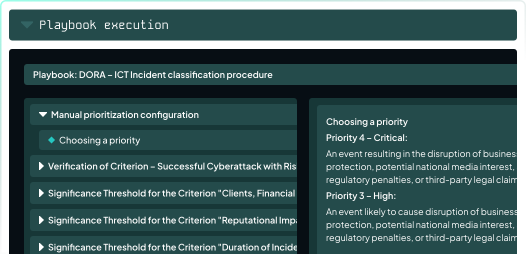
Automated playbooks and AI-assisted triage
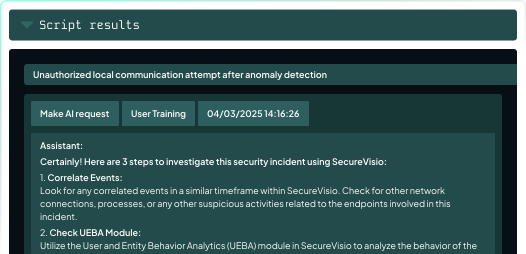
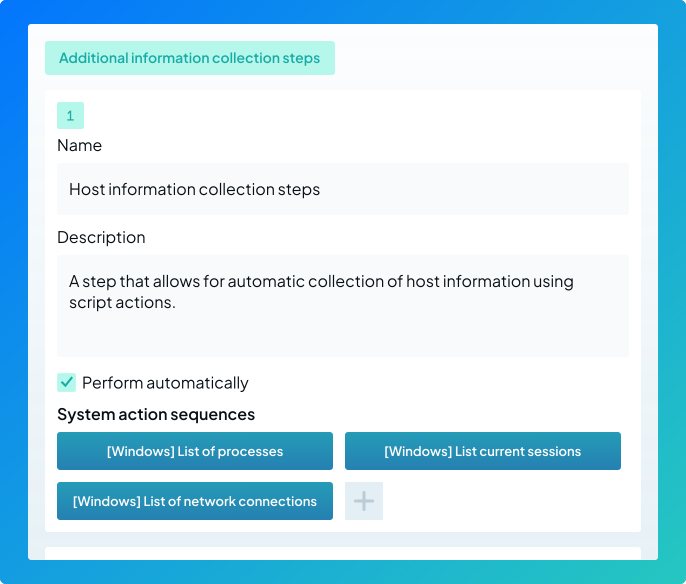
Playbook Execution enables both manual and automated responses via a virtual operator (SVBot). Automated scenarios collect data from external knowledge bases, analyze inbound/outbound traffic, examine user and host activity, and provide operator guidance using integrated AI.
Backtracking Analysis and Customizable System Actions
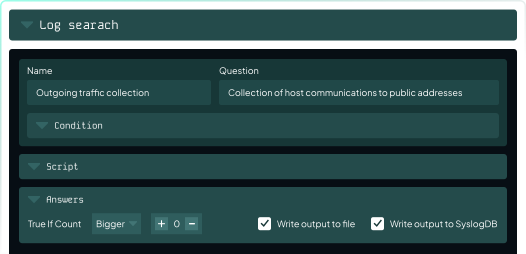
SecureVisio enables automated backtracking and network event analysis, i.a., collecting outgoing traffic, performing system checks on source IPs, and verifying if they belong to public IP ranges. Actions may include running scripts in log browsers, checking traffic history, confirming destination IPs in logs, and ensuring that the source IP matches event IP.
Integrated response and remediation
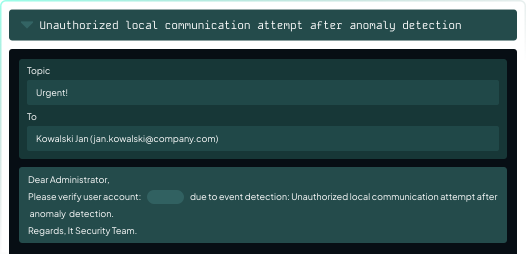
SOAR allows fast, coordinated remediation actions. The system can block network traffic on endpoints, disable user accounts, verify privileges, and send notifications. All steps are logged in the incident card, supporting auditability and post-incident analysis.
Advanced log and traffic analysis
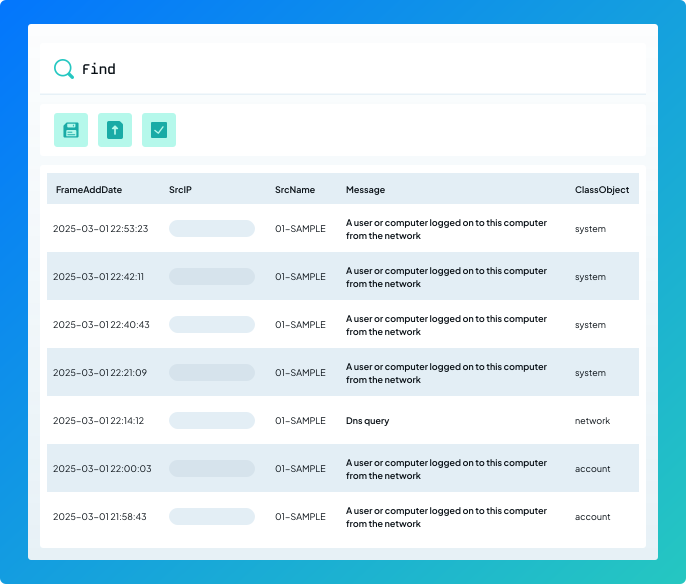
SecureVisio automatically collects and analyses information forwarded to the system in the form of logs, including outbound traffic, local network activity, and CMD/PowerShell commands. In the Files tab, artifacts gathered during incident handling—such as query results from external knowledge bases or log search outputs—are stored to support detailed investigation and event correlation.
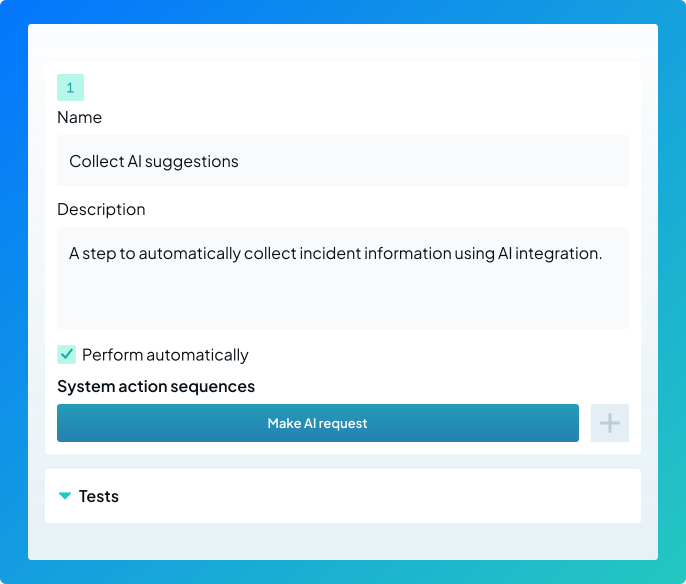
AI-guided incident decision support
Built-in AI integration with LLMs assists operators by recommending investigative steps such as event correlation, user behavior review or process analysis. AI helps classify incidents, detect real threats, and prioritize remediation actions.
User and host investigation
Active Directory integration provides detailed user and host information. SOAR identifies active processes, sessions, open ports, and services, enabling thorough evaluation of potential threats and suspicious activity.
Simply Better, More
Automated Responses

Improved response through backtracking and network event analysis

LLM integration across the incident lifecycle enables more informed decisions

A single communication channel across the organization

Deep two-way integration between SOAR and other solutions (CMDB, SIEM, CTI)