SecureVisio 6.0: A Major Leap Forward for the Web Application

10.04.2026
Custom Dashboards, Advanced UEBA, and a Supercharged Log Viewer — All in Your Browser
This is the first in a series of articles covering SecureVisio 6.0. Upcoming pieces will dive into AI embedded across the platform and significant performance improvements. This article focuses exclusively on what’s new in the web application.
Overview
SecureVisio 6.0 is one of the most significant releases in the platform’s history. For security analysts, SOC managers, and IT administrators working primarily in the browser, For web app version 6.0 delivers three transformative upgrades: a fully reimagined dashboarding system, a new UEBA interface, and a significantly more powerful log viewer. Together, these changes make the SecureVisio web app a genuine first-class environment for daily security operations — and in several areas, it now surpasses what was previously only possible in the desktop application.
1. New Dashboards: Visualise Every Dimension of Your Security Posture
SecureVisio 6.0 introduces a completely redesigned dashboarding system with a far wider selection of dashboard types and a dramatically expanded data scope. Whether you’re an executive reviewing KPIs or a threat hunter investigating anomaly patterns, you now have the tools to build exactly the view you need — directly in the browser.
New Dashboard Types
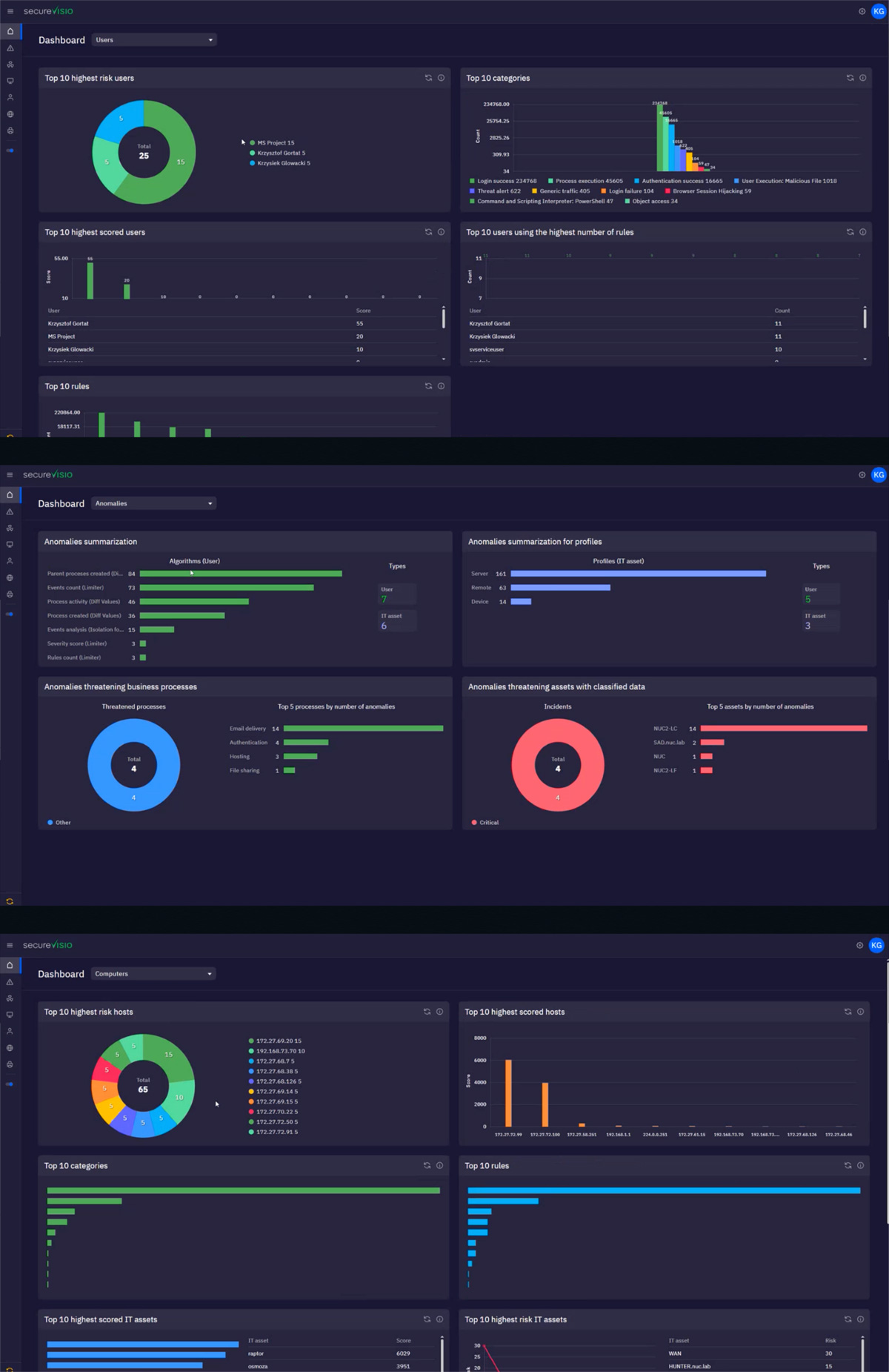
Version 6.0 introduces purpose-built dashboard types covering every major security domain: incidents, logs, vulnerabilities, statistics, anomalies, automations, users, and computers/assets. Each type is pre-optimised for its domain while remaining fully customisable.
Dramatically Expanded Data Scope
The new dashboards can draw from a much richer data universe than before — including malicious file detections, incident type breakdowns, anomalies affecting specific business processes, user risk profiles, detailed log fields (source process, destination IP, user email, domain, country), CMDB asset data, UEBA anomaly rule statistics, SIEM incident ageing, and high-risk asset listings. You can now visualize any part of your security stack — from anomaly rule triggers in UEBA, to incident ageing in SIEM, to high-risk server inventories in CMDB — in a single unified dashboard.
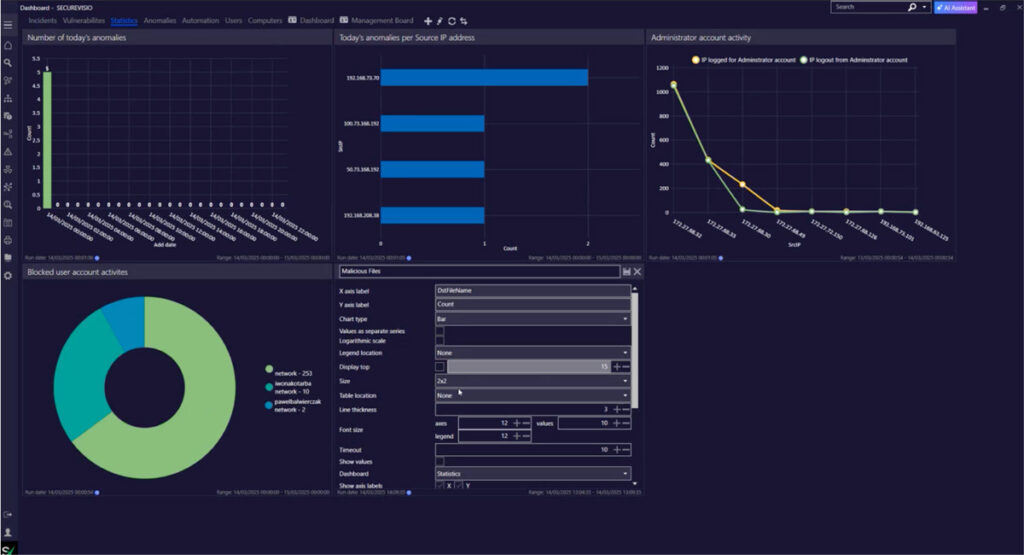
Statistics Dashboards
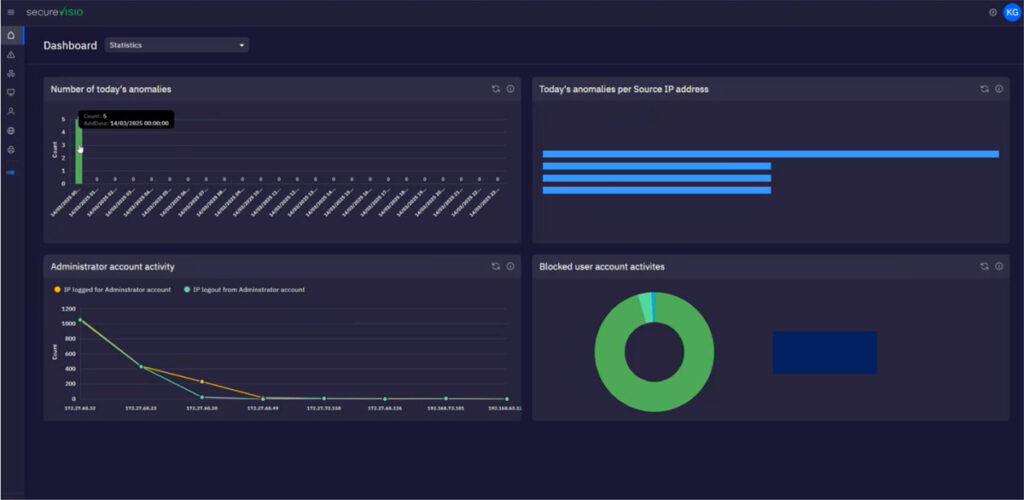
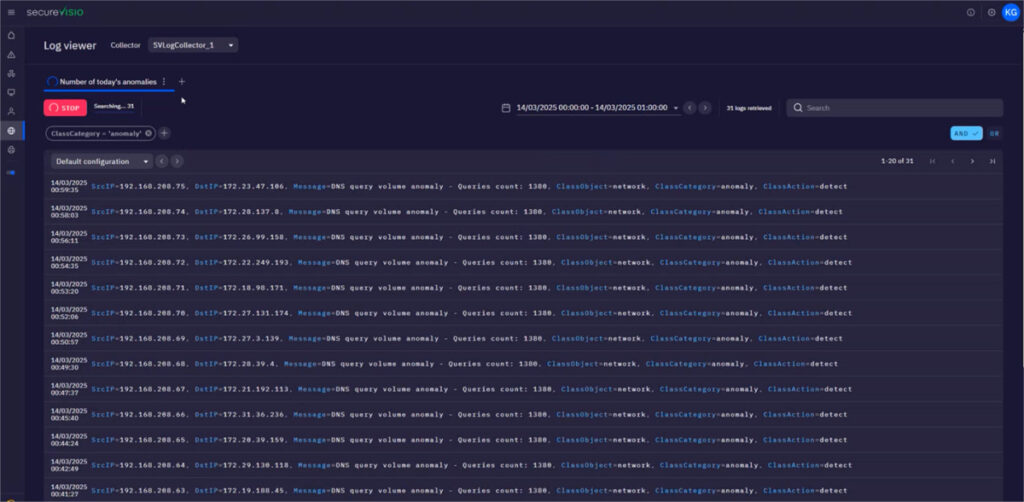
A new statistics dashboard type gives teams instant access to key operational indicators, including administrator activity, anomalies per source IP address, blocked user account activities, and total anomaly volume over time. Crucially, these dashboards are not static — you can click directly from any statistic into the Log Viewer, enabling an immediate pivot from high-level metrics to raw event data.
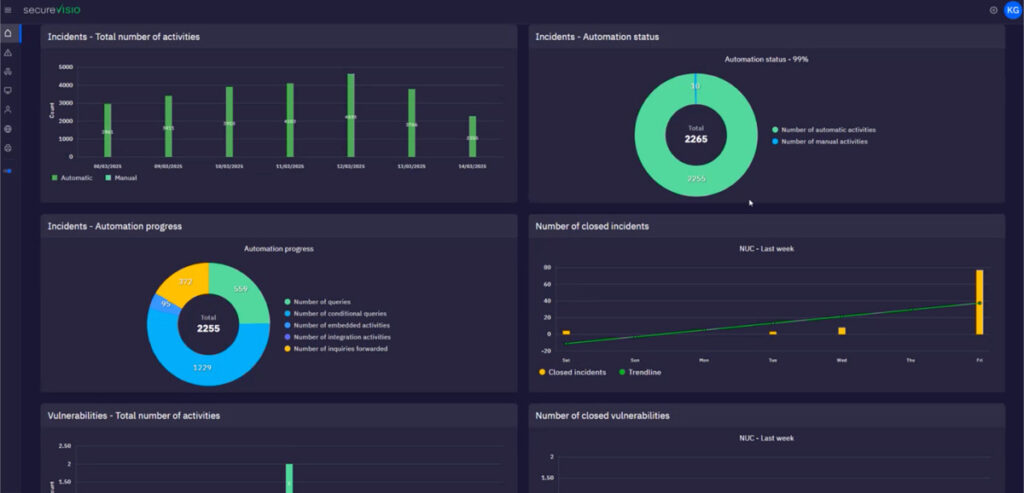
Automation KPIs Dashboard
The new Automation KPIs dashboard is one of the most strategically valuable additions in this release. It provides a clear, data-driven picture of how SecureVisio is automating security work — showing the ratio of manual to automated incident and vulnerabilities actions, daily automation volume, automation status trends, and the number of log queries executed automatically by the platform. This is an essential tool both for practitioners monitoring SOAR health and for executives demonstrating the ROI of the platform.
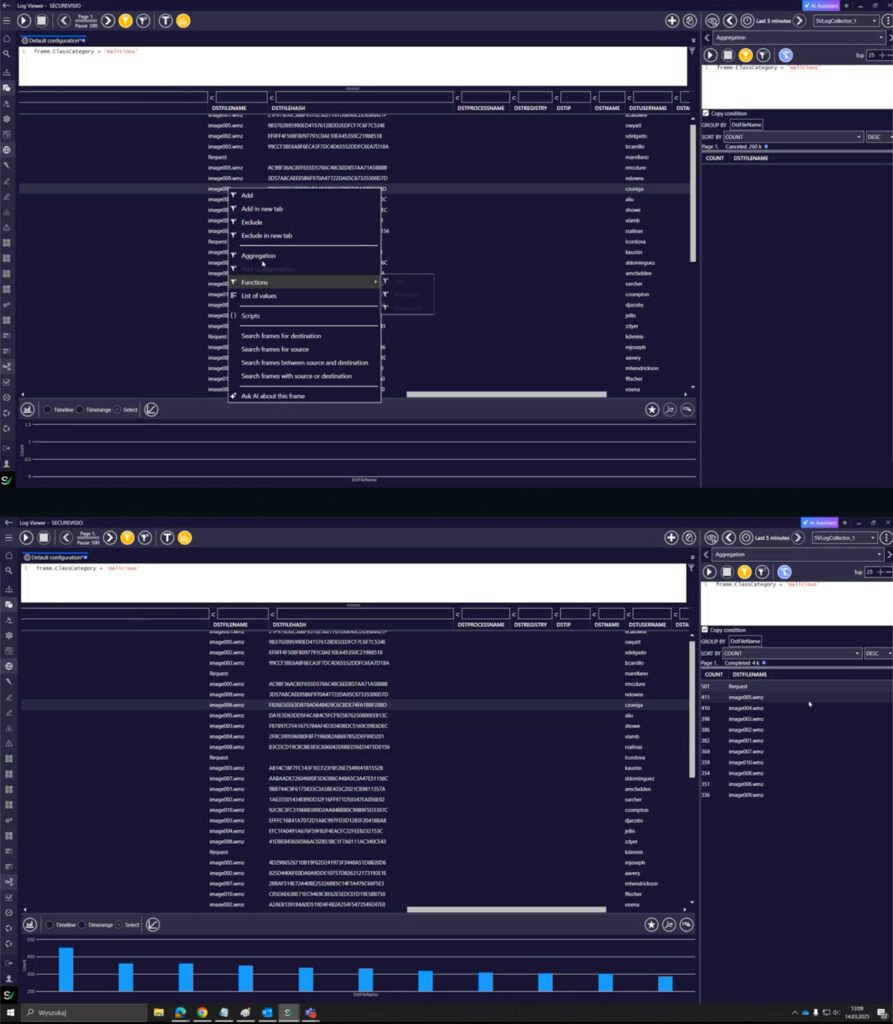
Graphs Directly from Log Viewer
A new workflow lets analysts generate dashboards in charts directly from a log query in desktop app — no export or manual configuration needed. You write a query in Log Viewer, click Aggregate, preview the chart, assign it a name and category, and it appears on your chosen dashboard. Visualization becomes a natural part of the investigation workflow rather than a separate reporting task.
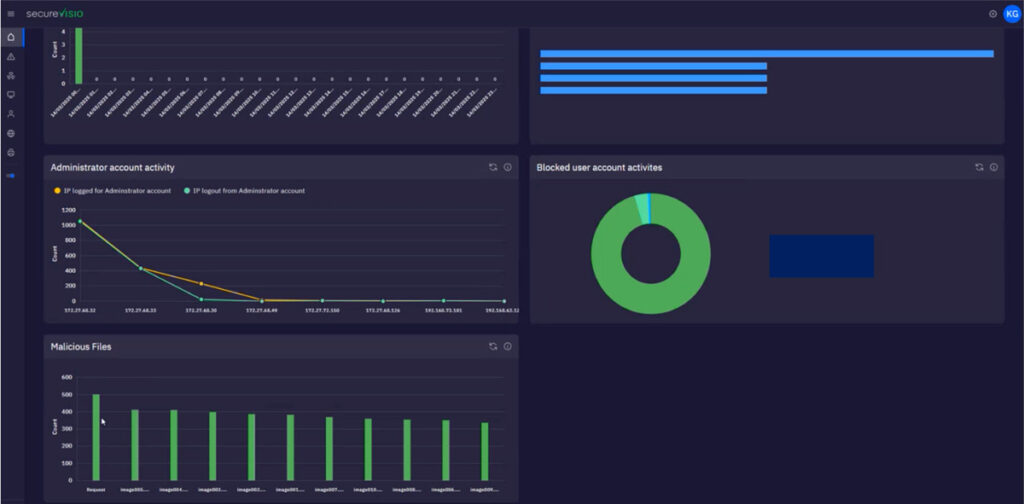
Full Customization
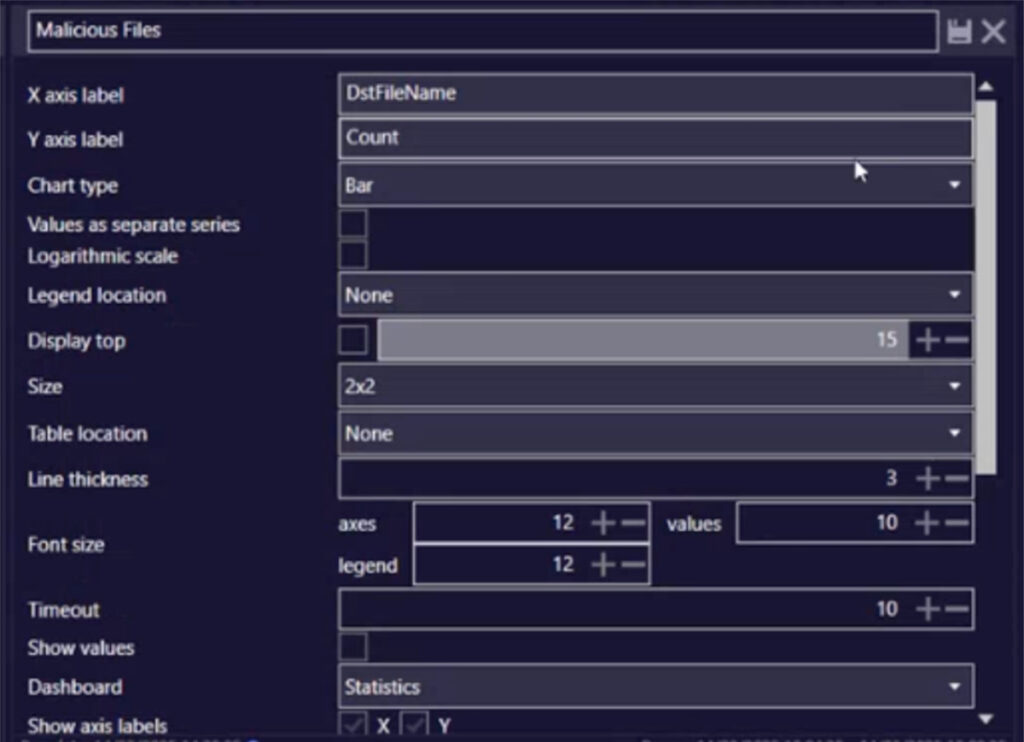
Every dashboard element is now fully customizable in the web app: chart names, panel sizes, tile positions, font sizes, axis labels, and displayed values. This level of control was previously not available in the desktop application.
2. UEBA in the Web Application: Full Behavioural Analytics, Now Browser-Native
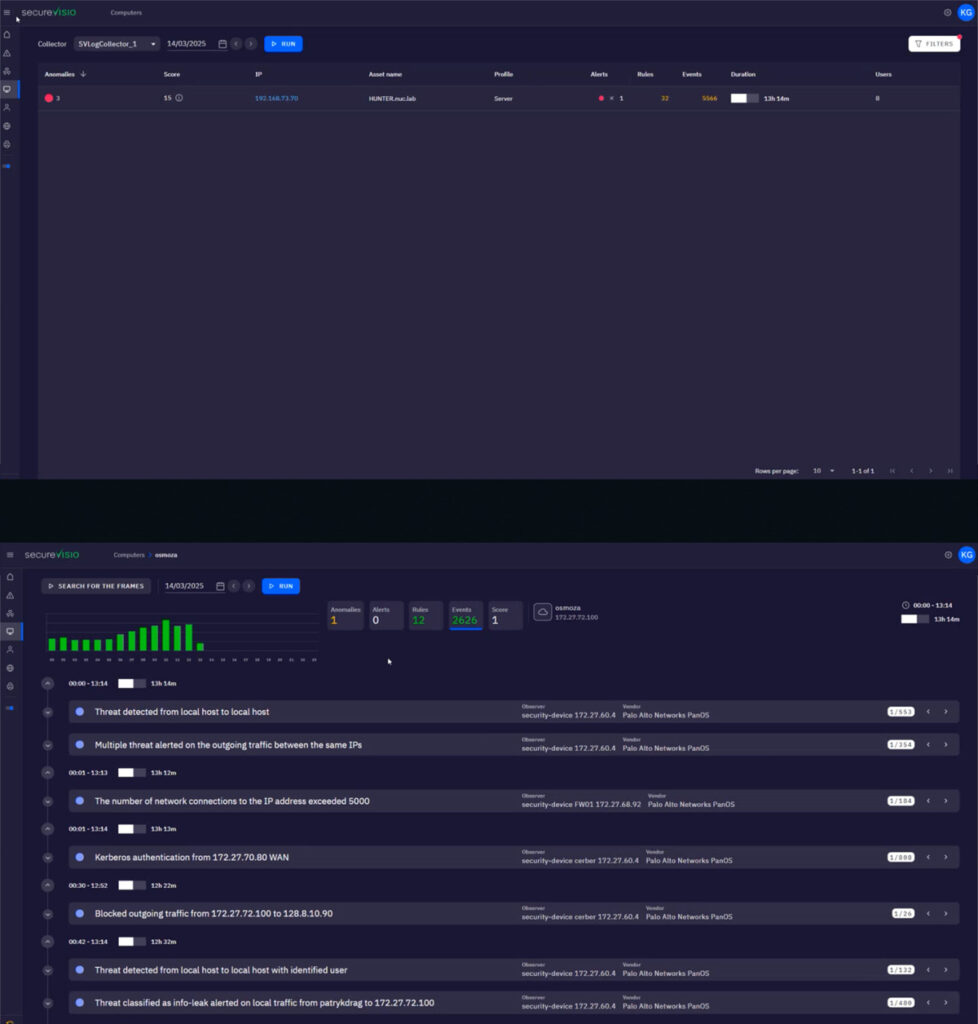
UEBA has been a core SecureVisio capability for several versions, but version 6.0 brings the full UEBA experience into the web application for the first time. Analysts no longer need to switch to the desktop client to work with behavioural analytics.
User Investigation Workflow
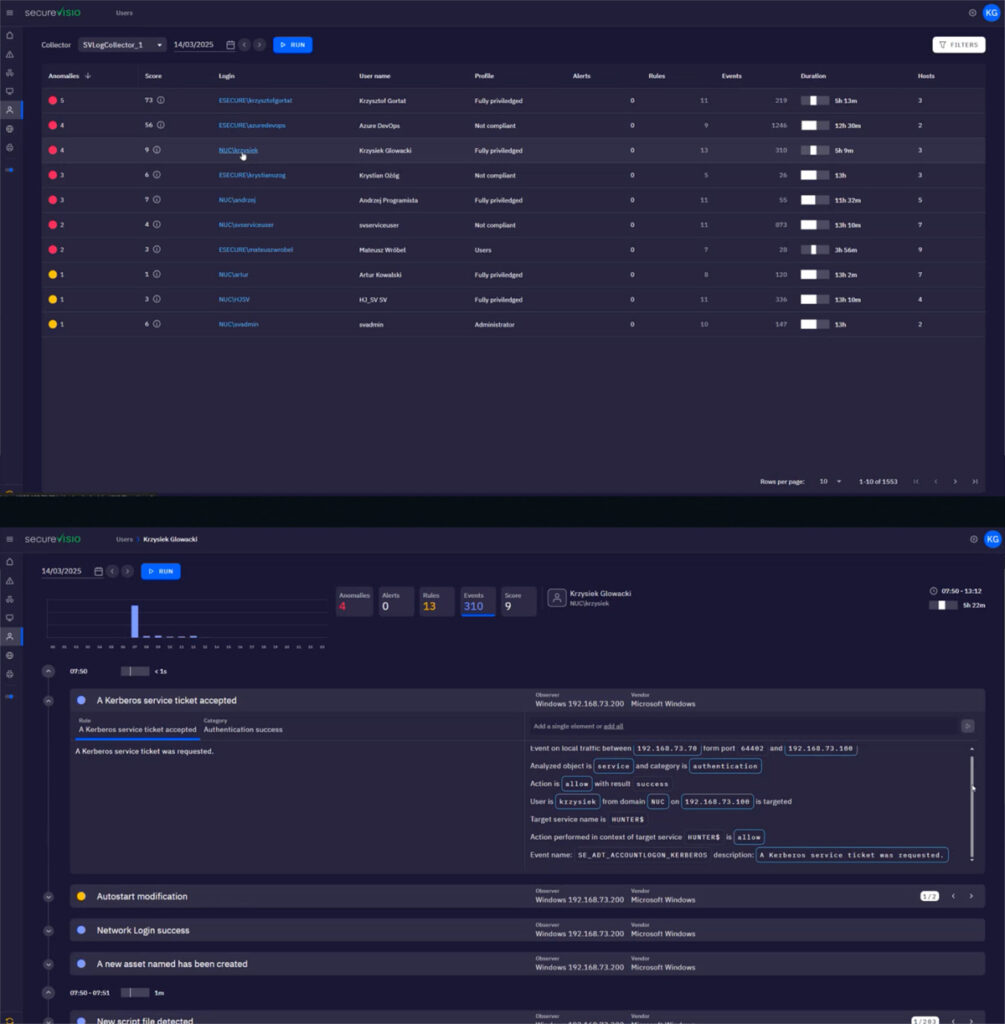
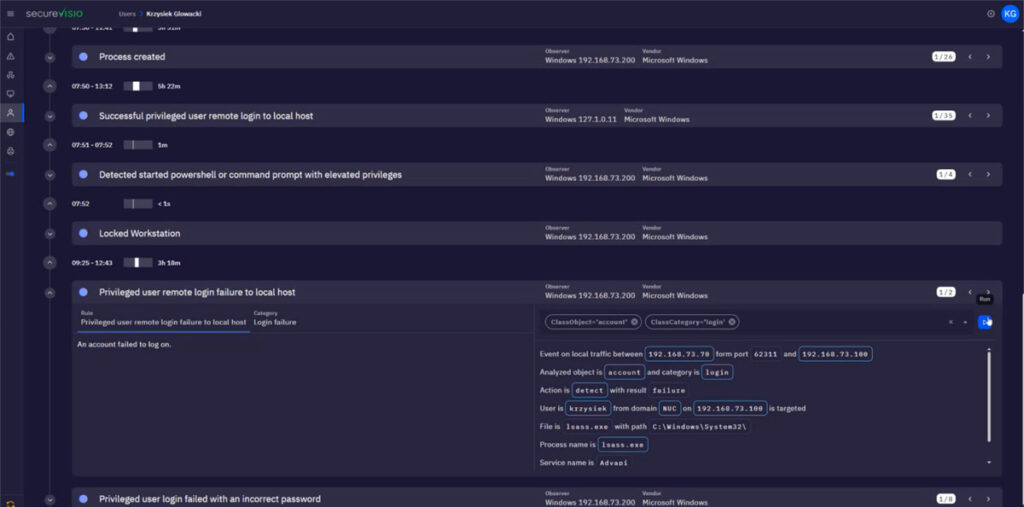
The new UEBA interface in the web app supports an end-to-end investigation flow. You can apply filters within the UEBA interface to narrow down from the full anomaly landscape to specific events. From there, you select a user of interest and immediately see all their recorded actions alongside contextual explanations of why those actions were flagged. A single click then takes you directly into the Log Viewer, pre-filtered to that user’s activity — dramatically compressing the time from anomaly detection to evidence review.
From High-Risk Assets to Full Threat Context
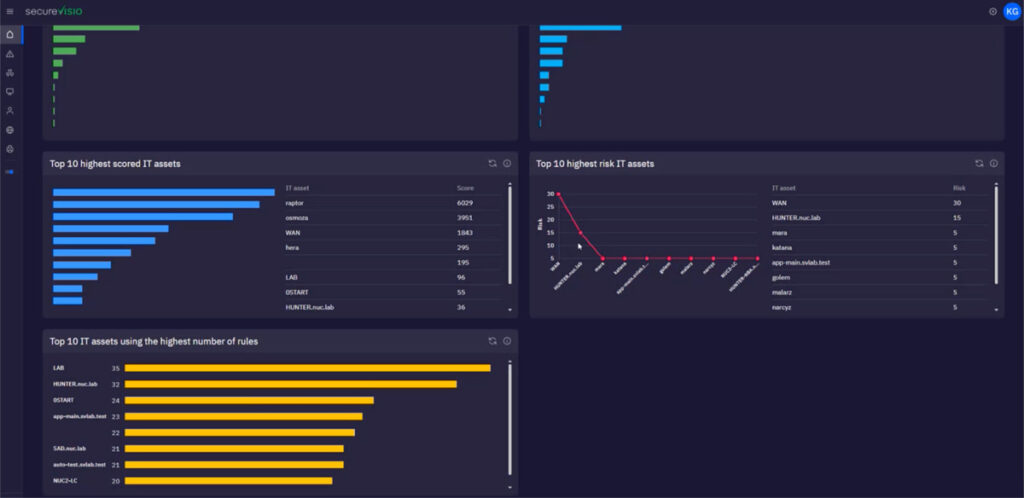
The web app also introduces a powerful asset-centric investigation path. Starting from the top 10 highest-scored assets — typically high-risk servers — you can select a specific server by IP address and instantly see all threats, anomalies, incidents, and other security events linked to that asset. This connects CMDB risk scoring directly to live threat intelligence without requiring any manual correlation.
3. Log Viewer: Advanced Threat Hunting, Now Available in the Browser
The Log Viewer in the SecureVisio web console has received one of its most significant upgrades to date. Capabilities that previously required the desktop operator console are now fully available — and in some cases extended — in the browser.
Advanced Filtering
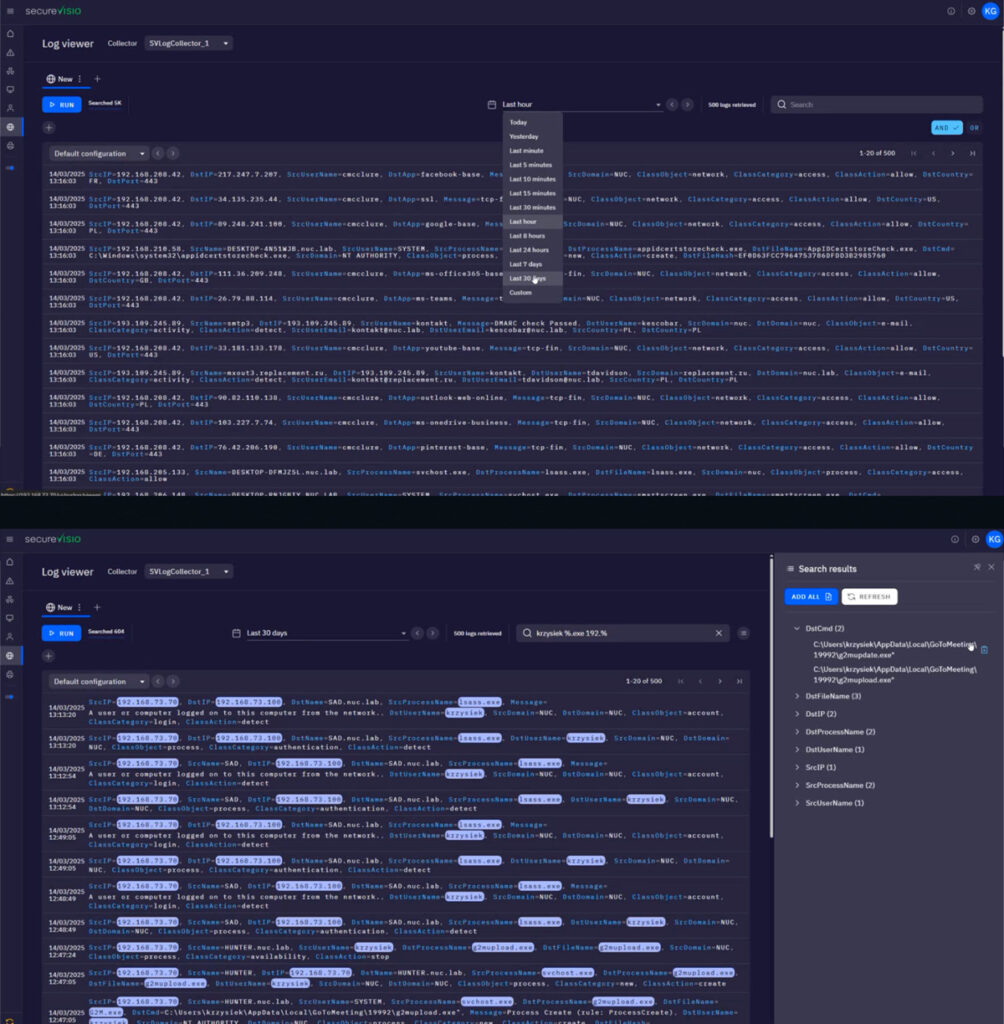
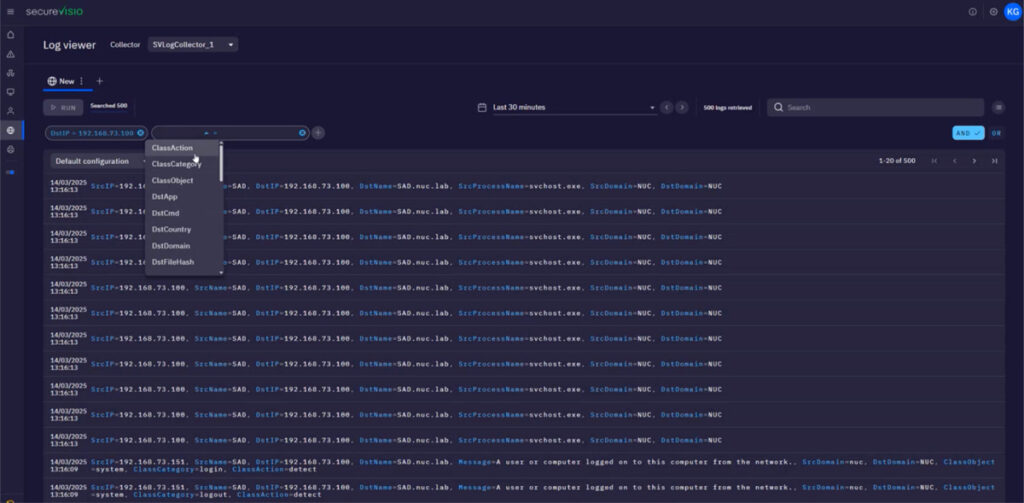
The web Log Viewer now supports a comprehensive set of filter fields that enable precise, targeted queries: destination file, destination IP, username, destination application, destination country, class category, class action, source process name, source user email, and source domain. These fields were previously unavailable in the web console and required the desktop application to access.
AND / OR Condition Logic
Analysts can now switch filter conditions between AND and OR directly in the web interface. This enables more nuanced queries — for example, surfacing events that match any one of several criteria rather than requiring all conditions to be met simultaneously.
“Any Other Value” Filter Option
A new advanced filter option allows analysts to explicitly exclude a known value and capture everything else. This is particularly useful for noise reduction — filtering out known-good traffic and focusing attention on the long tail of unexpected behavior.
What This Means for Security Teams
The web application improvements in SecureVisio 6.0 represent a fundamental shift in how the platform can be used day-to-day. Analysts who previously depended on the desktop client for advanced log hunting, behavioral analysis, or custom reporting can now perform all of those tasks — and more — directly in the browser. For organizations managing distributed SOC teams or looking to streamline their tooling, this is a significant step forward.
And this is only the beginning. The full SecureVisio 6.0 release includes GenAI-powered features embedded throughout the system, major performance improvements, and deep enhancements to the SIEM, SOAR, CMDB, and UEBA engines. Those changes will be covered in the articles to follow.